How to Hold a Wheelie Longer: Tips That Work in Any Bike Game
By the SoFlo Wheelie Life team · · 4 min read
Almost every wheelie run ends the same way. Either the front wheel drops because you eased off too much, or the bike loops over backward because you pulled too hard. The good news is that both mistakes come from the same handful of habits, and those habits carry over from one wheelie game to the next.
This guide explains what is happening when you balance a bike on one wheel, why your runs end, and how to practice so that your distance actually goes up. The examples come from the games on SoFlo Wheelie Life, but the ideas apply to almost any wheelie game.
Understand the Balance Point
Every wheelie game has a balance point: an angle where the bike neither falls forward nor tips back. Hold the bike there and it seems to float. Go past it and gravity starts pulling the bike over backward; stay below it and the front wheel sinks.
The balance point is not fixed. In most games it moves with speed, terrain, and the bike you are riding. That is why a lean that felt perfect a second ago suddenly fails. Instead of memorizing one angle, learn to read the bike: is it rising, falling, or holding still?
Spend your first few runs in any new game doing nothing but finding this point. Lift the wheel, let it drop, lift it again. You are not trying to score yet. You are learning where the floating feeling begins.
Why Wheelies End: The Three Common Mistakes
- Overcorrecting. You see the bike tipping back, press hard the other way, and now it is falling forward. Big inputs create a swing that gets worse each time.
- Holding the key down. Many players hold the lift key the whole time. The bike keeps rising until it passes the balance point and flips.
- Ignoring speed. Accelerating changes how the bike tilts. If you speed up while already near the limit, the extra push often sends you over.
Notice that all three are about doing too much. The fix is almost always to do less, sooner.
Use Small, Early Inputs
The most important habit in any wheelie game is tapping instead of holding. Short taps let you nudge the bike a little at a time and see how it responds before committing.
React early. If you wait until the bike is clearly falling, the correction has to be large, and large corrections cause overcorrection. If you respond as soon as the bike starts moving away from the balance point, a small tap is enough.
In Street Wheelie, for example, Up lifts the front wheel and Down leans forward to stabilize. Players who hold distance tap between the two in a steady rhythm rather than pressing one key until something goes wrong.
Control Your Speed
Speed and balance are linked. In games where you control the throttle, steady speed is usually safer than constant acceleration. Pick a pace you can handle and hold it.
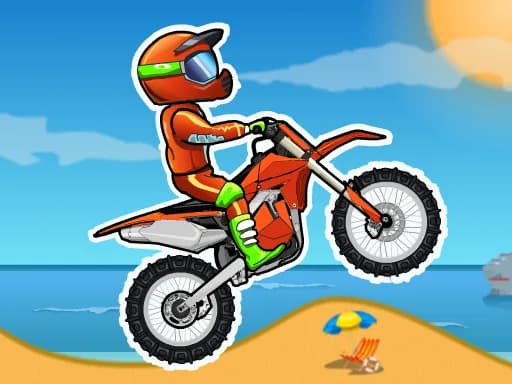
In stunt games like Stunt Bike Extreme, short bursts of throttle work better than holding the key, especially before jumps and drops. In Moto X3M, easing off before tricky sections often saves more time than crashing and restarting from a checkpoint.
In one-button games like Wheelie Party, the bike moves on its own, so all your attention can go to the angle. That makes them a great place to practice the tapping rhythm before taking it to games with more controls.
Read the Terrain Ahead
On flat ground the balance point barely moves. Slopes, ramps, and bumps change it instantly. Going uphill tips the bike back, so you need less lift; going downhill tips it forward, so you need more.
Wheelie Life 2 is built around this. Watch the road ahead and start adjusting before the bike reaches the slope, not after. Playing in fullscreen helps because you can see more of what is coming.

A Simple Practice Routine
- Pick one game and stick with it for a session. Switching games resets your feel for the balance point.
- Spend two or three runs only lifting and lowering the front wheel. Do not chase distance.
- Try to hold the wheelie for five seconds using only taps. Then ten. Then twenty.
- When a run ends, ask which mistake caused it: overcorrecting, holding the key, or speed. Fix that one thing on the next run.
- Restart immediately instead of watching the crash. More attempts in the same time means faster progress.
- Once you can hold a steady wheelie, start adding speed or moving on to terrain and tricks.
Game-Specific Notes
| Game | Key controls | What to focus on |
|---|---|---|
| SoFlo Wheelie Life | Arrow keys for tilt | Very sensitive physics; tiny taps only |
| Wheelie Life 2 | Hold left mouse to lift, release to lower | Adjust before slopes and ramps |
| Street Wheelie | Up to lift, Down to stabilize, T for checkpoint | Steady rhythm between Up and Down |
| Wheelie Party | Hold mouse or Space | Pure angle control; great for practice |
| Moto X3M | Up/W to accelerate, Left/Right to tilt | Land flat on both wheels |
| Stunt Bike Extreme | Arrow keys | Short throttle bursts, clean landings |
Keyboard, Mouse, or Touchscreen?
A keyboard gives the most precise control in most wheelie games because each tap is a clear, short input. Mouse-button games like Wheelie Party and Wheelie Life 2 work well with a mouse or trackpad click.
Touchscreens are fine for one-button games but harder for games with several keys. If you play on a phone, turn it sideways, use fullscreen, and give yourself a few extra runs to adjust.
Ready to put this into practice? Our list of the best free wheelie games is a good place to pick your next game.