
Hard Platformers Like Geometry Dash You Can Play for Free
By the SoFlo Wheelie Life team · · 3 min read
Geometry Dash is built on a simple promise: the controls are easy, the levels are not. You die, you restart in a second, and you get a little further every time. That loop is addictive, and it is not unique to Geometry Dash.
This guide covers the hard platformers on SoFlo Wheelie Life that share that feeling, explains what makes each one different, and finishes with tips that help in all of them.
What Makes a Game Feel Like Geometry Dash?
- Simple controls. Usually one or two buttons, so every failure is about timing, not complicated inputs.
- Instant restarts. Dying costs a second, not a loading screen.
- Memorization. Levels are fixed, so each attempt teaches you something about the next one.
- Visible progress. A percentage bar, a checkpoint, or just getting one obstacle further keeps you going.
The games below hit most of these points, but each adds its own twist.
Geometry Dash Lite: Where to Start
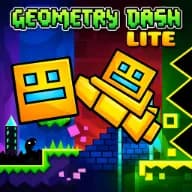
If you have only seen Geometry Dash in videos, start with Geometry Dash Lite, the free version by RobTop Games. It includes 19 official levels, from Easy all the way up to Demon difficulty, each synced to its own electronic soundtrack.
On PC you press Space or click to jump and hold to fly in ship sections. Practice Mode lets you place checkpoints with Z and X, which is the best way to learn a hard level section by section.
Geometry Dash SubZero: Shorter and Faster
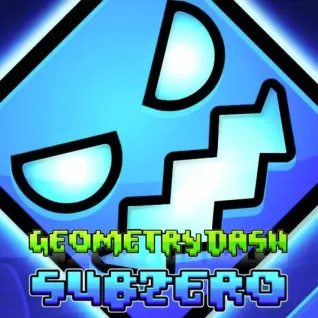
Geometry Dash SubZero is a spin-off with three levels, neon visuals, and upbeat music. It is shorter than Lite but moves faster, mixing gravity switches, wave sections, and ship segments that each need slightly different timing.
It is a good next step once you are comfortable with the early Lite levels and want a fresh soundtrack and new tricks.
Level Devil: The Level Is Lying to You
Level Devil, by Unept, looks like the easiest platformer you have ever seen. There is a door, and you need to reach it. Then the floor disappears, a spike pops up where there was none, or the exit moves.
Where Geometry Dash tests your rhythm, Level Devil tests your assumptions. Each death reveals a trap you could not have seen coming, and the next attempt is about remembering it. Use the arrow keys or WASD, and favor short, careful hops over full-speed runs.
Trees Hate You: Rage Game With a Sense of Humor
Trees Hate You, by tykenn, is a physics platformer set in a bright forest where every tree is out to get you. Trees punch, shoot, and trap you at the worst possible moment, and false checkpoints add to the chaos.
It is just as punishing as Geometry Dash, but it is designed to make you laugh when you fail. On PC you move with A and D or the arrow keys, jump with Space or W, press R to reset, and dash with Shift in later sections.

Quick Comparison
| Game | Main skill | Controls | Feels like |
|---|---|---|---|
| Geometry Dash Lite | Rhythm and timing | One button | The original challenge |
| Geometry Dash SubZero | Fast timing changes | One button | A short, intense remix |
| Level Devil | Spotting traps | Move and jump | A puzzle that trolls you |
| Trees Hate You | Precision under chaos | Move, jump, dash | Slapstick rage game |
Tips for Beating Hard Platformer Levels
- Learn one section at a time. Use practice modes or checkpoints when the game offers them instead of replaying the whole level.
- Listen to the music in rhythm games. Many jumps in Geometry Dash line up with the beat.
- Watch for patterns in trap games. Level Devil and Trees Hate You reuse ideas, so a trap you have seen once will probably come back in a new form.
- Do not mash buttons. Short, deliberate inputs beat panicked ones in every game on this list.
- Take a break after a long streak of deaths. Coming back fresh often gets you past a section that felt impossible.
If you enjoy the precision side of these games, wheelie games scratch a similar itch. Our guide on how to hold a wheelie longer explains the same idea of small, early inputs applied to bike balance.