
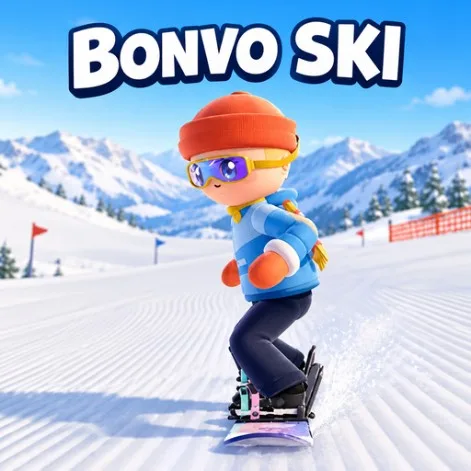
Bonvo Ski – Play Free Online
Bonvo Ski drops you onto slopes built from real terrain data, not a hand-painted fantasy mountain. Cable cars, rest stops, and long free-ride lines sit where the map says they should.
Pick skis or a snowboard, choose a camera angle, and ride as long as you want. Speed helps you clear gaps, but clean landings matter more than raw throttle.
What Makes the Mountain Feel Real
Mapped Resorts
Thousands of resorts are simulated from real terrain, including lifts and rest spots you can actually aim for.
Ski or Snowboard
Change your ride style in the menu and drop in again without leaving the browser.
Camera Choice
Use a wide third-person angle to read the slope, or switch to first-person when you want more speed in your face.
No Clock Pressure
Free-ride mode removes the timer so you can learn a line, chase tricks, or just cruise.
What Is Bonvo Ski?
Bonvo Ski (also called Bonvo Ride) is a browser skiing and snowboarding simulation. Instead of short timed runs only, it leans into open free-ride across resorts reconstructed from global terrain data.
You can switch between a wider third-person view and a closer first-person feel. The goal is simple: stay balanced, land clean, and keep exploring the mountain.
How to Play
- W – accelerate on flat sections
- Land parallel to the slope – less bounce, more control
- Space – spin in the air for score
- R – reset back onto the track
Build speed before big spins. Trying to rotate too early on a slow approach is a fast way to tip over.
First-Run Tips
- Start on a gentler resort section and get used to landing parallel before you hunt big air.
- Use W on flat ground so you have enough speed for the next drop.
- Save Space spins for moments when you already have speed; spinning early kills your line.
- If you leave the track, press R and try the same approach with a cleaner landing.
Clean landings beat flashy mid-air spins every time on a new mountain.
FAQs About Bonvo Ski
How do you control Bonvo Ski?
Use W to accelerate on flat stretches, keep your skis or board parallel when landing, press Space to spin for score, and press R to reset if you leave the track.
Is Bonvo Ski based on real mountains?
Yes. The game simulates real-world terrain so resorts, cable cars, and rest stops line up with mapped geography instead of a fantasy slope.
Can I snowboard instead of ski?
Yes. You can switch between snowboarding and skiing from the main menu before you drop in.
Is there a time limit?
No. Free-ride mode lets you explore without a countdown, so you can practice lines or chase tricks at your own pace.
Is Bonvo Ski free?
Yes. Play it free in your browser with no download.
Find Your Line
If you like Snow Rider 3D but want a freer, more simulation-minded mountain, Bonvo Ski is the open-slope option. Pick a resort, build speed with purpose, and land clean.